
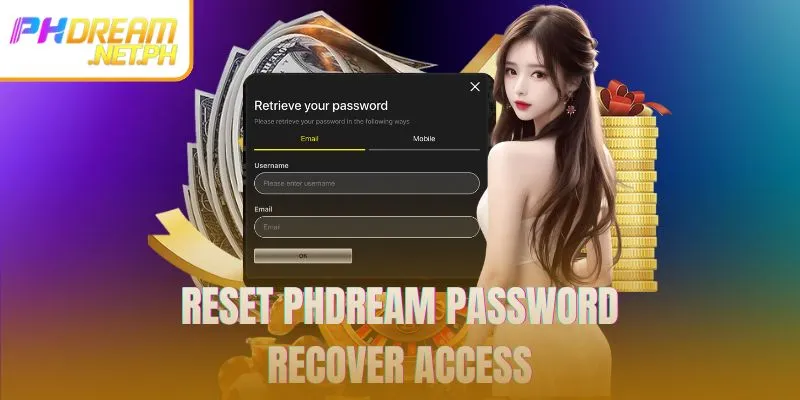
Losing access to an account can be stressful, but the PHDREAM forgot password feature is designed to help users regain access quickly and safely. This guide provides clear instructions, practical security advice, and troubleshooting solutions so members can recover their credentials efficiently while maintaining strong account protection and uninterrupted access.
Common reasons leading to PHDREAM forgot password
Common causes of account login issues
Understanding why login problems occur helps users avoid repeated reset attempts. Below are the most frequent situations that result in forgotten credentials, along with insights to help prevent them in the future.
Infrequent login habits
Accounts that remain inactive for long periods are often difficult to remember. Users who log in only occasionally may forget exact credentials, which leads to recovery requests. Maintaining regular access through the official PHDREAM login page helps keep details familiar and reduces the need for resets.
Complex or reused credentials
Highly complex combinations or reused passwords across multiple platforms can increase confusion. While strong credentials are essential for security, they should also be memorable. Creating unique yet manageable passwords helps reduce unnecessary reset situations while still protecting the account from unauthorized access.
Device or browser changes
Switching devices or browsers may remove saved login information, making it harder to recall credentials. New phones, tablets, or computers often trigger a reset request. Keeping login details recorded securely helps minimize disruptions caused by these changes.
Account safety notifications and protective measures
The system actively monitors unusual activity. In certain cases, users may be prompted to reset credentials as a precautionary security measure. Recognizing this process as a protective action helps users understand its role in safeguarding their accounts.
Step-by-step guide to reset PHDREAM password
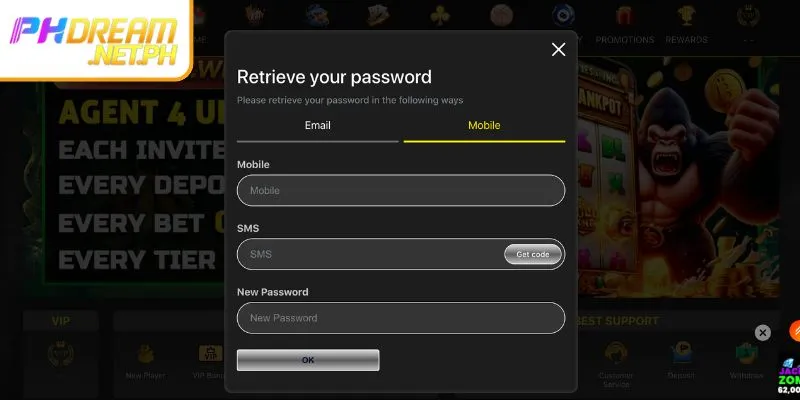
Steps to recover PHDREAM forgot password safely
Recovering account access is straightforward when the correct steps are followed. Two reliable recovery methods are available: email and mobile verification. Each option is outlined below to ensure a smooth and secure process.
Recovery through email
Email-based recovery is a dependable way to restore access. Users should follow each step carefully to ensure successful verification and credential reset.
- Step 1: Visit the official login page and select the password recovery option using the lock icon.
- Step 2: Enter the registered email address associated with the account. Accuracy is important to ensure the reset instructions are delivered correctly.
- Step 3: Check your inbox and spam folder for the reset email. The message contains a secure link that allows you to proceed safely.
- Step 4: Follow the on-screen instructions to create a new password that meets security requirements while remaining easy to remember.
Recovery through mobile
Mobile verification offers a fast and convenient recovery option. Completing each step carefully ensures that identity verification is successful.
- Step 1: Choose the password recovery option and enter your registered mobile number.
- Step 2: Request the one-time password (OTP) sent via SMS and enter it accurately once received.
- Step 3: Complete any additional verification steps shown on the screen to confirm account ownership.
- Step 4: Set a new password, ensuring it differs from previous credentials and complies with security standards.
Tips and security considerations for PHDREAM forgot password
Security advice for account recovery
Adopting good security habits reduces the likelihood of repeated recovery requests and helps protect accounts over the long term.
- Use verified contact information: Always keep your registered email and mobile number active and up to date. Accurate contact details ensure recovery instructions are received without delay.
- Avoid frequent reset attempts: Multiple requests within a short time may trigger temporary restrictions. Allow adequate time between attempts and ensure details are entered correctly.
- Create strong and unique passwords: Combine letters, numbers, and symbols, and avoid reusing old credentials. This approach improves security and reduces future recovery needs.
- Enable additional security features: Activating extra verification layers strengthens account protection and minimizes unauthorized access risks.
Troubleshooting when PHDREAM forgot password doesn’t work
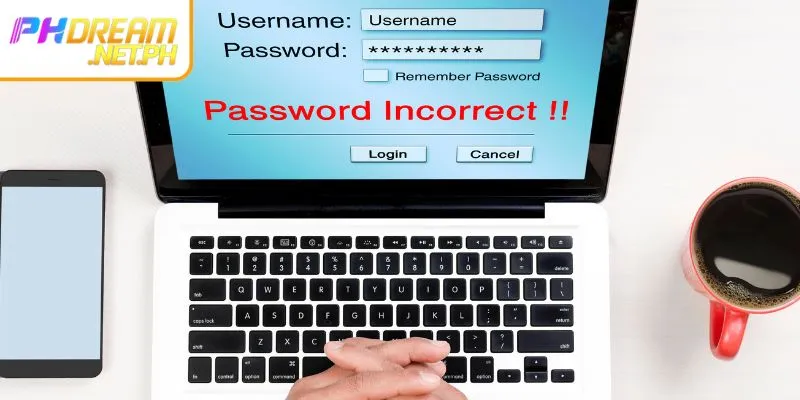
Handling account access issues
In some cases, recovery attempts may not succeed immediately. Knowing how to address common issues helps users restore access more efficiently.
- Not receiving email or OTP: Check spam folders and verify contact details. If problems persist, consult the PHdream Help Center for additional guidance.
- Account temporarily locked: Repeated failed attempts may cause a temporary lock. Waiting for the specified period usually resolves the issue.
- Forgotten registration details: If both email and mobile information are unavailable, proof of ownership may be required to verify identity securely.
- Direct assistance: For complex situations, contacting customer care ensures personalized support and safe account recovery.
Conclusion
Experiencing a PHDREAM forgot password situation is common and manageable. By following the correct recovery steps and applying recommended security practices, users can restore access quickly while maintaining strong account protection. With the right preparation and support, members can continue enjoying uninterrupted access and a secure experience.

CEO Luzviminda
As Luzviminda, founder and CEO of Phdream, my goal was to blend innovation with online gaming. Starting from Luzon, I saw an opportunity to create a unique, tech-driven casino experience. Phdream has since grown into a leading brand across Asia, setting new standards in the industry. Here’s a bit more about me:
⭐️ First and last name: Luzviminda
⭐️ Year of Birth: 22/12/1988
⭐️ Work address: 166 N. Domingo, San Juan, 1500 Metro Manila, Philippines
⭐️ Phone number: +63 2 318 5758
⭐️ Email: ceol;uzviminda@gmail.com
⭐️ Website: http://phdream.net.ph/